
Domains are easy to register and surprisingly easy to lose track of.
A marketing team registers a new domain for a campaign. A product team purchases one for an upcoming launch. An acquired company brings dozens of domains into the organization. An employee registers a defensive variation using a company card, then leaves six months later.
Over time, the organization may own far more domains than anyone realizes.
The problem is not limited to keeping a list of domain names. Every domain can be connected to websites, email systems, customer portals, authentication services, marketing campaigns, APIs, redirects, certificates, and third-party vendors.
When those relationships are not documented, a domain renewal or ownership issue can become a much larger operational problem.
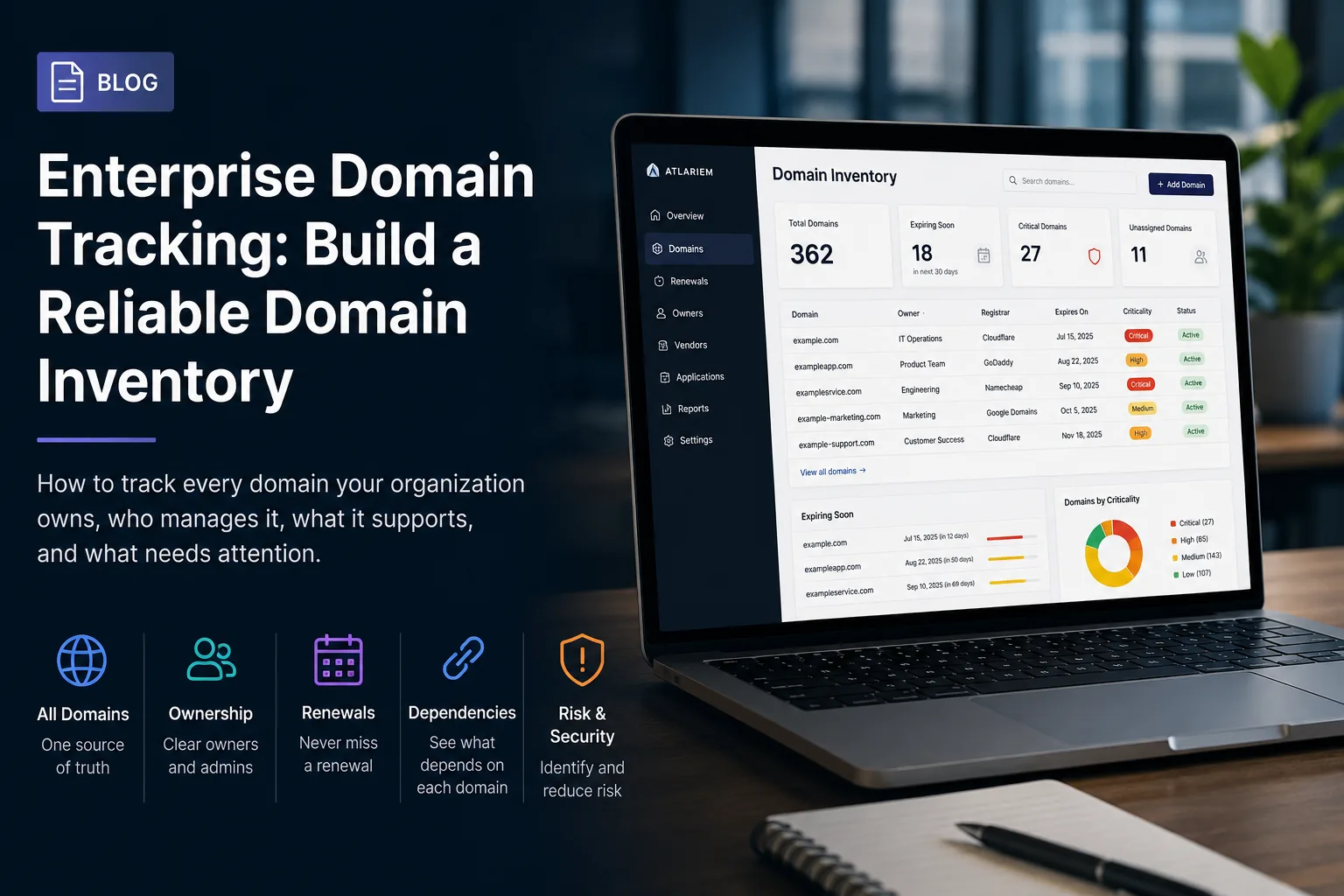
An enterprise domain tracking list gives the organization a reliable record of what it owns, who controls it, what each domain supports, and what needs attention next.
What is enterprise domain tracking?
Enterprise domain tracking is the process of maintaining a current record of every domain owned, operated, or relied upon by an organization.
A proper domain tracking system should document more than the domain name and expiration date. It should also connect each domain to its:
- Business purpose
- Legal owner
- Internal owner
- Registrar
- DNS provider
- Administrative contacts
- Billing responsibility
- Renewal date
- Automatic renewal status
- Nameservers
- Hosted services
- SSL certificates
- Websites and applications
- Email infrastructure
- Departments
- Vendors
- Dependencies
- Risk classification
This creates an operational record that helps teams understand not only which domains exist, but why they matter.
Why spreadsheets stop working for domain tracking
Many companies begin with a spreadsheet containing a few basic columns:
| Domain | Registrar | Expiration date | Owner |
|---|---|---|---|
| example.com | Registrar A | June 12 | Marketing |
| exampleapp.com | Registrar B | September 4 | Product |
| examplestatus.com | Registrar A | January 16 | IT |
This may work when the company owns five or ten domains.
It becomes less dependable when the organization has dozens of business units, multiple registrars, acquired brands, regional domains, campaign domains, defensive registrations, and technical subdomains.
A spreadsheet cannot reliably show:
- Which applications depend on a domain
- Whether the listed owner still works at the company
- Who has registrar access
- Whether there is a backup administrator
- Which domain supports customer email
- Which domains are connected to production services
- Whether an expiration date has been verified recently
- Which vendor manages DNS
- Whether a renewal has already been approved
- What would be affected if the domain stopped resolving
The spreadsheet may still contain technically correct information while being operationally incomplete.
Why enterprise domain visibility matters
A domain is often treated like a small administrative record. In reality, it may be one of the most important digital assets an organization controls.
A domain failure can affect:
- Public websites
- Employee email
- Customer authentication
- Single sign-on
- API endpoints
- Payment systems
- Support portals
- Internal tools
- Marketing campaigns
- Brand reputation
- Security certificates
Losing control of a domain can interrupt business operations, expose customers to fraud, break trusted links, disrupt email delivery, or prevent users from accessing critical systems.
Enterprise domain tracking reduces these risks by making ownership, renewal responsibility, and operational dependencies visible before something goes wrong.
What should be included in a domain tracking list?
A strong domain tracking list should be divided into several areas.
Basic domain information
Record:
- Full domain name
- Domain status
- Date acquired
- Expiration date
- Renewal period
- Automatic renewal status
- Registration lock status
- Transfer lock status
This is the foundation of the record, but it should not be the entire record.
Registrar and DNS information
Document:
- Domain registrar
- Registrar account
- DNS provider
- Nameservers
- Account owner
- Primary administrator
- Backup administrator
- Recovery email
- Multifactor authentication status
Avoid storing passwords directly in the domain tracking list. Instead, link to the approved credential-management system used by the organization.
Ownership and responsibility
Every domain should have clearly assigned responsibility.
Useful roles include:
- Business owner
- Technical owner
- Primary administrator
- Backup administrator
- Billing owner
- Renewal approver
- Security contact
A department name alone is not enough.
“Marketing” does not identify the person responsible for approving a renewal. “IT” does not tell the organization who can access the registrar during an incident.
Whenever possible, assign named owners and backup coverage.
Business purpose
Explain why the domain exists.
Common purposes include:
- Primary corporate website
- Product website
- Customer application
- Authentication service
- Email delivery
- Marketing campaign
- Brand protection
- Regional website
- Acquired company
- URL redirect
- API endpoint
- Development or testing
The purpose helps teams decide whether a domain should be renewed, redirected, transferred, consolidated, or retired.
Connected systems and dependencies
A domain record should identify the services that depend on it.
These may include:
- Websites
- Web applications
- APIs
- Email providers
- Customer portals
- Identity providers
- Content-delivery networks
- Hosting providers
- Analytics platforms
- Certificate-management services
- Status pages
- Redirect services
This is where a basic domain list becomes an operational dependency map.
A domain may cost only a few dollars per year while supporting a system worth millions of dollars to the business.
Renewal and financial information
Record:
- Renewal date
- Renewal cost
- Currency
- Billing method
- Payment owner
- Cancellation deadline
- Renewal decision status
- Budget owner
- Purchase order or invoice reference
Renewal alerts should occur early enough for the organization to confirm ownership, review the domain’s purpose, approve the expense, and correct payment problems.
Risk and criticality
Not every domain has the same importance.
Classify domains according to their operational impact.
For example:
Critical
Supports production applications, customer authentication, email, payments, or core company websites.
High importance
Supports major marketing properties, customer portals, regional websites, or important APIs.
Standard
Supports active but noncritical campaigns, redirects, microsites, or internal tools.
Retirement candidate
No longer appears necessary and requires review before cancellation.
Critical domains should have stronger ownership, administrative coverage, verification, and renewal controls.
Common enterprise domain tracking problems
Domains registered by individual employees
An employee may register a domain using a personal account, personal recovery email, or company card.
The organization may pay for the domain without actually controlling the registrar account.
When the employee leaves, access can become difficult to recover.
Domain registration should use company-controlled accounts, approved recovery methods, and documented administrators.
No backup administrator
A domain may have one person who understands the registrar, DNS configuration, and renewal process.
That creates a single point of failure.
Every critical domain should have at least one verified backup administrator.
Multiple registrars
Acquisitions, departmental purchasing, and historical decisions often spread domains across several registrars.
This is not always avoidable, but it should be visible.
A domain tracking system should show:
- Which registrar holds each domain
- Who can access each registrar account
- Which accounts lack backup administrators
- Which registrars hold the most critical domains
Outdated ownership
The owner listed in the domain inventory may have changed teams or left the organization.
Ownership should therefore be verified periodically rather than treated as permanent.
A useful review asks:
- Does this person still own the business purpose?
- Can the administrator still access the registrar?
- Is the billing method still valid?
- Is the domain still required?
- Are the connected services still accurate?
Forgotten campaign domains
Short-term campaigns frequently create long-term domain records.
The campaign ends, but the domain remains active because no one knows whether it is still needed.
These domains should be reviewed for:
- Redirect value
- Brand protection
- Existing backlinks
- Customer bookmarks
- Search visibility
- Security exposure
- Potential retirement
Domains inherited through acquisitions
An acquisition can introduce dozens or hundreds of domains with incomplete records.
Some may support active systems. Others may protect legacy brands. Some may be forgotten, expired, or controlled by former employees and agencies.
Acquired domains should be reviewed as part of the technology and operational integration process.
How to create an enterprise domain inventory
1. Gather existing records
Start with information from:
- Registrar accounts
- DNS providers
- Finance records
- Expense platforms
- Legal and trademark teams
- Marketing teams
- IT documentation
- Cloud providers
- SSL certificate inventories
- Acquired-company records
- Password managers
- Procurement systems
Do not assume one source contains every domain.
2. Consolidate and remove duplicates
Normalize domain names and combine records that refer to the same asset.
Be careful with:
wwwvariations- Subdomains
- Country-code domains
- Internationalized domain names
- Redirect domains
- Parked domains
- Similar brand variations
Root domains and subdomains should usually be tracked as related but distinct records when they have different owners, services, or operational purposes.
3. Assign ownership
Every active domain should have:
- A business owner
- A technical administrator
- A backup administrator
- A billing or renewal owner
Unassigned records should be treated as operational warnings rather than left blank indefinitely.
4. Connect dependencies
Document the systems, vendors, and services connected to each domain.
For critical domains, confirm:
- Where DNS is hosted
- Which website or application uses the domain
- Which certificates depend on it
- Whether email uses the domain
- Which identity systems rely on it
- Whether customer-facing integrations reference it
5. Classify criticality
Assign a criticality level based on the consequences of disruption.
A customer authentication domain should receive stronger controls than a discontinued campaign domain.
6. Verify the information
Have owners and administrators confirm their records.
A domain list should include a last-verified date so teams can distinguish current information from records that have not been reviewed in years.
7. Establish review cycles
Review critical domains more frequently than low-risk domains.
A practical schedule might include:
- Critical domains: quarterly
- High-importance domains: every six months
- Standard domains: annually
- Retirement candidates: before the next renewal date
The correct schedule depends on the organization’s risk profile and operating model.
Domain tracking during employee offboarding
Employee departures are one of the clearest reasons to maintain a reliable domain inventory.
Before an employee leaves, the organization should determine whether they:
- Own any domains
- Administer a registrar account
- Control DNS records
- Receive renewal notifications
- Manage certificate validation
- Own recovery email addresses
- Approve renewal payments
- Work with an external domain vendor
These responsibilities should be reassigned before the employee loses access.
A domain tracking system makes this process easier because the organization can search for the employee and see every connected domain and responsibility.
Without this visibility, access problems may remain hidden until the next renewal or incident.
Domain tracking during vendor changes
External agencies and service providers often manage:
- Domain registration
- DNS configuration
- Website hosting
- SSL certificates
- Marketing microsites
- Redirects
- Regional properties
When a vendor relationship ends, the company should verify that domain ownership and administrative access remain under company control.
The organization should know:
- Which domains the vendor can access
- Which DNS zones the vendor manages
- Whether the vendor receives renewal notices
- Whether the registrar account belongs to the company
- Which services must be transferred
- Who will take over administrative responsibility
A vendor should be able to manage a domain without becoming the undocumented owner of it.
Using Atlariem to track enterprise domains
Atlariem helps organizations treat domains as connected operational assets rather than isolated rows in a spreadsheet.
A domain record can be connected to:
- Business owners
- Administrators
- Backup administrators
- Departments
- Vendors
- Websites
- Applications
- APIs
- Cloud services
- Renewal dates
- Costs
- Risks
- Dependencies
This makes it possible to identify issues such as:
- A critical domain with no assigned owner
- A registrar account with one administrator
- A renewal approaching without an approved decision
- A domain owned by a departing employee
- A production service dependent on an unverified domain
- Multiple critical domains managed by one vendor
- A domain record that has not been reviewed recently
Atlas can then show how the domain connects to the wider organization, including the services, systems, people, and vendors that would be affected if it became unavailable.
Domain tracking is an ownership problem
Enterprise domain management is often described as a renewal problem.
Renewals are important, but the larger issue is ownership.
The organization needs to know:
- Who is responsible?
- Who has access?
- Who provides backup coverage?
- What does the domain support?
- Which systems depend on it?
- What happens if it stops working?
- When was that information last verified?
A renewal reminder cannot answer those questions by itself.
A reliable enterprise domain tracking list turns domain management from a collection of expiration dates into a clear operating model.
Build a domain inventory before the next renewal becomes an incident
Domains are small assets with potentially enormous operational consequences.
The best time to document ownership, access, dependencies, and renewal responsibility is before a payment fails, an employee leaves, a vendor relationship ends, or a critical service stops resolving.
Atlariem gives operations and IT teams a central place to track domains alongside the people, systems, vendors, costs, risks, and dependencies connected to them.
Start building a clearer record of the domains your organization depends on.